06 Sep 2014
robomagellan
ros
This post has been a long time coming -- I think I promised it to several HBRC members at
the July SIG...
I've frequently been asked "what computer do you use on your robots?", usually from someone
looking at a variety of sub-$100 ARM boards. ARM processors have come a long way, but for
a ROS computer, they are not the easiest choice. Austin Hendrix has done a lot of work to
get a
buildfarm up and running for ARM processors
-- but there is still a long way to go and many things will not work "out-of-the-box".
So my choice? Well, it's not under $100, but it is a very fast, fairly low power machine
(here, I define low-power in the sub-15W range). The latest generation of Intel NUC
(Next Unit of Computing) modules offer quite a few options for small Intel Core-based
omputers. I'm using the 4th-generation i3-based D34010WYK. This offers quite a bit of
compute power for ROS, especially when you consider that early TurtleBots ran on a
single-core Atom. I've used 35W TDP i3 processors on a number of mobile manipulation
problems and been able to run the OpenNI/OpenNI2-based drivers, the navigation stack and
MoveIt! without much difficulty. If you're looking for a bit more processor, there is an
i5-based version for $100 more.
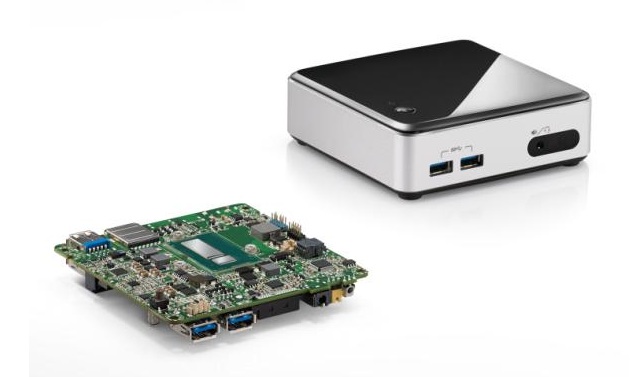 Intel NUC (image from Intel NUC website)
These computers are sold as either a board (somewhat hard to find for sale) or as a kit
which includes the case. Either option requires memory, hard drive and wifi card to be
added. My setup is:
- 8GB Crucial Ballistix Sport SODIMM.
Whatever you choose, be sure it is 1.35V RAM -- the newer NUC models work ONLY with 1.35V RAM
(many modules are 1.5V).
- 120GB Crucial mSATA SSD. Intel
offers a larger case version of the NUC that fits a standard 2.5" drive, but the smaller
versions only take an mSATA drive.
- Intel 7260 Wireless-AC Card.
This card will work best with Ubuntu 14.04, older versions will need an updated kernel
(at least 3.13) to get working drivers. No need for antennas as they are already in the case.
These boards take 12-24V DC input, but are probably most efficient at 19V. I'm powering mine off
a 12V battery connected to a
Pololu 5A Step-Up Regulator
that is configured to output the desired 19V. My batteries will never get even close to 19V even
when fully charged, and so the regulator should not have any issues.
I would recommend installing Ubuntu 14.04 and using ROS Indigo for these machines. If you want
to use an older Ubuntu distro, you should definitely make sure your wifi card is compatible,
because the Ethernet port will not work with the drivers present on the 12.04 installer and you will
have to connect to ubuntu.com to update somehow. Another alternative is to look for a NUC based
on the 3rd-generation Intel Core processors, but these might be hard to locate.
24 Feb 2014
robomagellan
ros
Over a year ago, I posted about my RoboMagellan robot, and then nothing. It's been pretty
busy for the past year, but I finally got back to working on this robot. The control board
is now mostly functional, and I have integrated the IMU and GPS. I still have to get the
tilting laser assembly mounted and working, and come up with a permanent mount for the
camera, but earlier today I finally field tested the robot:
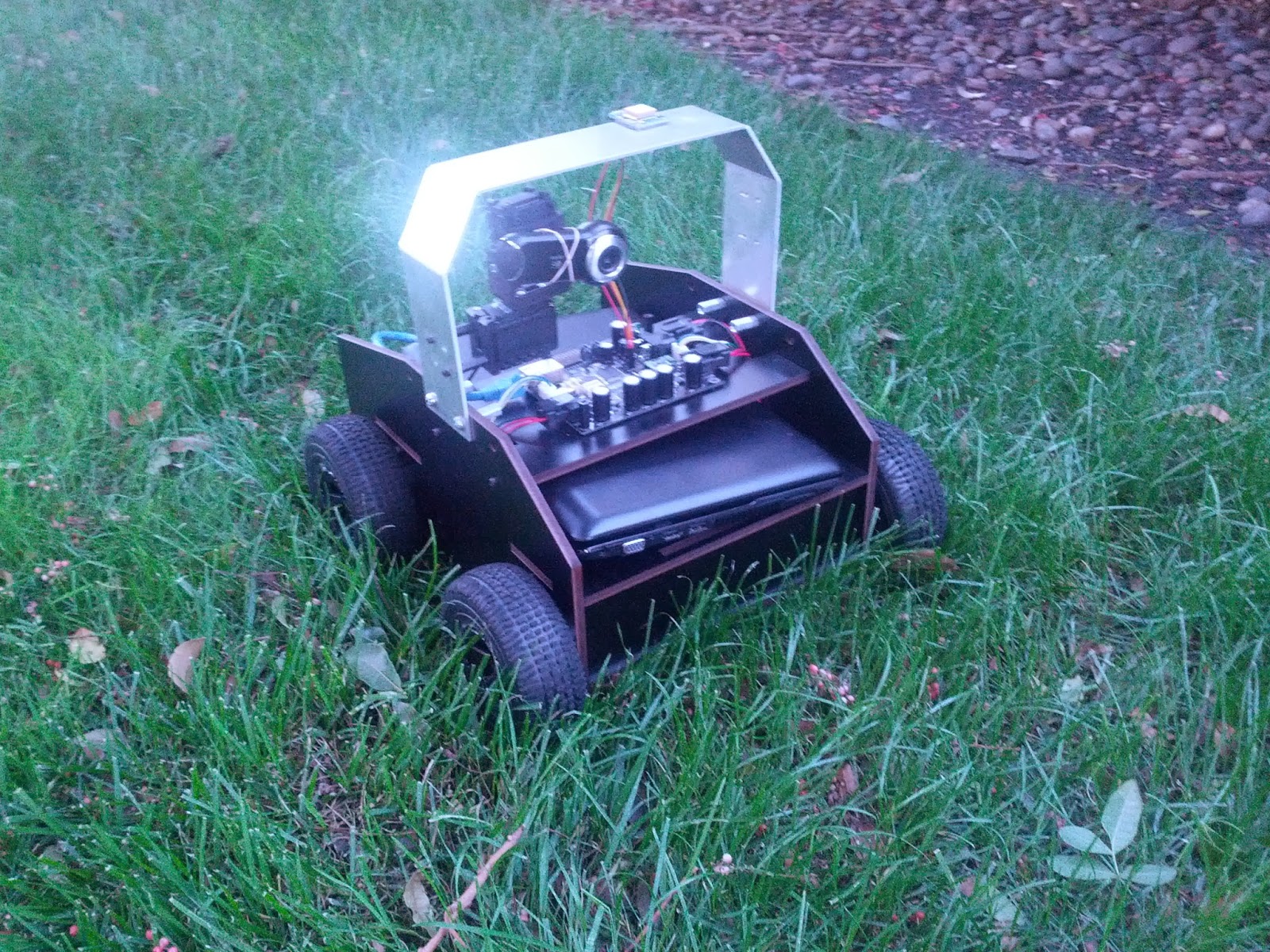
Drives well in grass, on pavement, and even has enough gusto to get up onto concrete
parking lot wheel stops (although it tends to then get stuck on top of said stop).
The forward odometry is good, but I still need to tune the turning odometry.
As far as ROS integration goes, I have the IMU, GPS, and wheels tied into ROS.
For decoding the GPS I'm using the
nmea_navsat_driver package,
which made things quite easy. I'm currently working on some tools for handling
localization and visualization while in a GPS coordinate frame (more to come on
that, but it is developed on top of
geodesy).
Code for the project is pretty minimal right now, but is hosted at
https://github.com/mikeferguson/robomagellan
29 Sep 2013
ros
It has been a while since posting, I figured I'd give an update on a project I've been
working on recently: a ROS buildfarm using BuildBot.
Of course you are probably thinking, "but ROS already has a buildfarm?" And that is
correct, however I found that it was quite hard to setup a personal instance of the
Jenkins-based farm that builds ROS Debian packages. There is not all that much
documentation, and extending it is not ideal for me as it uses an interesting mix of
java-ish stuff.
Enter buildbot. Buildbot is like Jenkins, except completely written in Python, and
I like Python. While buildbot doesn't have as many features and plugins as Jenkins,
it has more than enough to get the job done. Anyways, I created a buildfarm using
buildbot + catkin, which can do the following:
- Build Debians, just like on the ROS buildfarm. This includes doing it all in a
cowbuilder so you know that the dependencies are right.
- Build test jobs, similarly to the ROS buildfarm, whenever you push to a repository
(only git is supported)
- Build doc jobs, pretty much like the ROS buildfarm.
- Build arbitrary source debs into binaries.
The system loads its configuration from a rosdistro file. In addition to loading what
to build, I also have it setup to load where to get debs from in the rosdistro,
making it easy to change deployment setup.
Buildbot-ROS is still quite early in development, but does most of the things that an
individual or small team would need internally. The documentation is in the README,
which gets nicely rendered by github. The code can be found on my github account:
https://github.com/mikeferguson/buildbot-ros