16 Jun 2020
ubr1
robots
ros2
In my last post I finished porting the
robot_controllers package to ROS2. The last piece of hardware to
support the UBR-1 in ROS2 was the head camera, and it turned out to be the most
challenging part.
Note: I’ve created a new
ros2
tag from which you can find all my ROS2 posts.
Porting openni2_camera
The head camera in the UBR-1 is a vintage 2013-era Primesense Carmine. Getting it
to run in ROS2 meant porting the openni2_camera package.
In ROS1 the camera driver was implemented as a nodelet for efficiency when pairing
it with components from image_pipeline.
Nodelets have been replaced by components in ROS2. The setup for a
ROS2 component is actually quite simple and this is a part of ROS2 that is
very well documented:
An aside: most components are derived from rclcpp::Node. A number of
calls in the rclcpp API require that you pass an rclcpp::Node::SharedPtr.
No problem, Node derives from
std::enable_shared_from_this,
so you can call shared_from_this() to get the pointer. BUT - beware,
this is only works if the instance was created as a shared pointer (not a problem
when using the rclcpp ComponentManager to load your component), AND after the object is fully constructed.
I spent a good 20-30 minutes trying to figure out whey my camera driver kept
throwing a bad_weak_ptr - even reading through the code for
ComponentManager, before realizing it was happening in a function being called from the
constructor!
The next challenge in porting openni2_camera is that ROS2 doesn’t yet support
subscriber connect callbacks. These are frequently used in ROS1 to implement lazy publishers.
Basically, when creating a publisher you would register a callback which gets called
whenever someone subscribes or unsubscribes from your topic. This way you can
decide whether to actually do heavy work - or in the case of a driver, possibly
start or stop data transmission from the hardware.
In the case of openni2_camera - it is actually extremely important to lazy publish. There are multiple
camera streams, but you cannot actually stream them all at once so you NEED lazy
publishers. I ended up working around this by creating a timer which calls what would
be the subscriber connect callback every second. It’s a bit of overhead, but way less than
publishing lots of unneeded data. Along the way, I found out that the count_subscribers
function in rclcpp doesn’t respect remapping, and
so the only way to properly get the subscriber count is to call get_subscription_count
on the publisher. Since the openni2_camera uses image_transport this meant tracking
down that getNumSubscribers on the the camera publisher class wasn’t implemented
yet (I think the port predates get_subscription_count being added). If you want to try
out the openni2_camera package in ROS2, for now you’ll need to use this
PR that I created (but hasn’t been
merged yet).
Loading Components
The openni2_camera driver only outputs the raw RGB camera and raw depth camera streams. To get
things like sensor_msgs/PointCloud2, we need to construct pipelines using
the components of depth_image_proc. In ROS1, these were implemented as nodelets.
At some point they were ported to ROS2 as components, but not quite correctly (or maybe they
were correct when they were ported). A pair of
quick
PRs
got them working again as components, and got the parameters working.
The next step was to setup a launch file that loaded the camera driver, some components
to rectify the RGB and Depth images, and a component to create a point cloud. In ROS1, this
existed as the packages rgbd_launch and openni2_launch. Due to
the lack of lazy publishers and subscribers, you really can’t build the same lazy graph
that those packages defined right now. So I built a minimal graph of sensor processing
that I needed in a single launch file.
With this prepared, I could run the launch file and
ros2 topic hz /head_camera/depth_registered/points showed it was publishing!
ROS2 Parameters
Let’s back up and talk about that depth_image_proc parameter PR for a moment.
Starting with ROS2 Dashing, parameters needed
to be declared. If you try to access an undeclared parameter, you get an error, unless you
use get_parameter_or - which won’t throw an error. Unfortunately, that means code that used
get_parameter_or and was written pre-Dashing might just not actually load parameters correctly.
One of the big benefits of declaring all parameters is that you can do:
And get all the parameters. This is actually huge - as a maintainer of navigation in ROS1, I have
had more than a handful of occasions when I learned of a parameter that was undocumented but widely
used, and which I didn’t even know existed. ROS2 might lack documentation for things - but the
introspection is really nice and can be a work around for missing documentation.
RVIZ Woes
The next step is clearly to look at the point cloud in RVIZ2. Should be super easy, right?
Not so fast. In ROS1, any subscriber could connect to a publisher of the same topic message type.
ROS2 introduces Quality of Service
settings and there are incompatible matches. RVIZ connected to the topic, but didn’t show any data.
In ROS2 Foxy, you can run ros2 topic info topic_name --verbose and it will print
the QoS information for each publisher and subscriber. This is super helpful - but I unfortunately
didn’t find that until a few days after I was debugging this. As it turns out, depth_image_proc
components publish “best effort” but RVIZ subscribes with “reliable” and this is incompatible.
In Foxy, rosbag is apparently able to deduce the publisher QoS and connect correctly,
I’m planning to look into how that was done and see if I can make RVIZ work a bit better (Update:
If you expand the “Topic” box you can manually change the QoS settings).
While we’re talking about RVIZ2 challenges, I’m also going to note this PR
which works around the fact that RVIZ2 is apparently entirely single threaded and the single thread
runs everything in the same update loop. Keep that in mind if things aren’t visualizing right,
it may not be your code.
Finally, I got the QoS correct (by hacking depth_image_proc, since it compiles faster) and
had my point cloud:
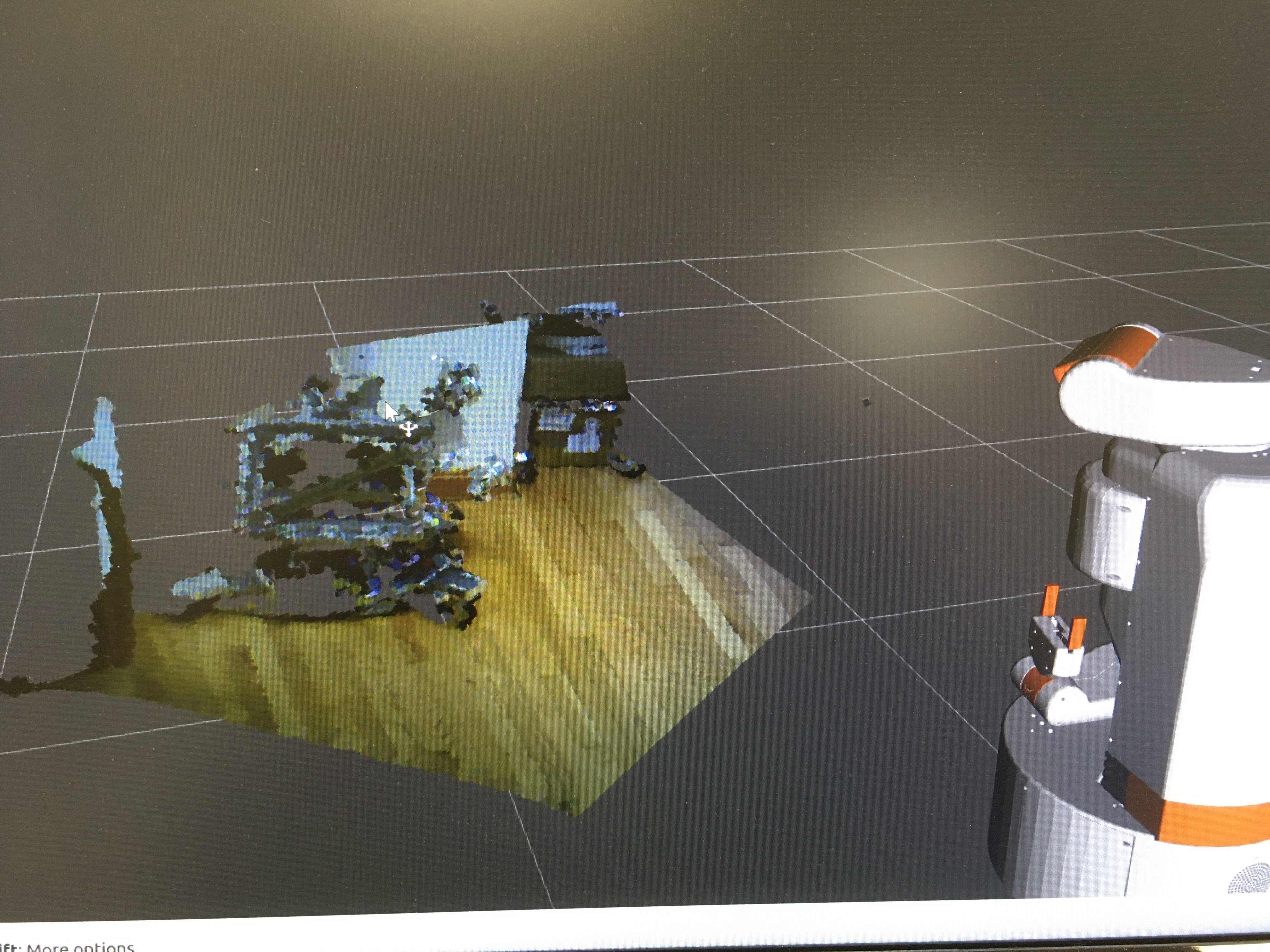
Just kidding, I still had to find out that my timestamps were wrong and message_filters
was filtering out all my messages. Once I fixed that in the openni2_camera package, I got the
view in RVIZ2.
Next Steps
For anyone wanting to try out the openni2_camera package in ROS2, there is more detailed information
in the ticket on the openni2_camera
package.
I’m continuing to clean up issues in the packages that I’m porting, but my next big step is getting
navigation setup on the UBR-1 in ROS2. That post will probably come a little slower than these
last few have. I’m also working on porting the
robomagellan
robot to ROS2.
11 Jun 2020
ubr1
robots
ros2
In my last post I ported robot_controller_msgs
to ROS2. I’ve now ported the actual controllers and made a number of changes to the
Controller and ControllerManager classes. I can now move all the UBR-1
joints, which makes it almost as happy as this:
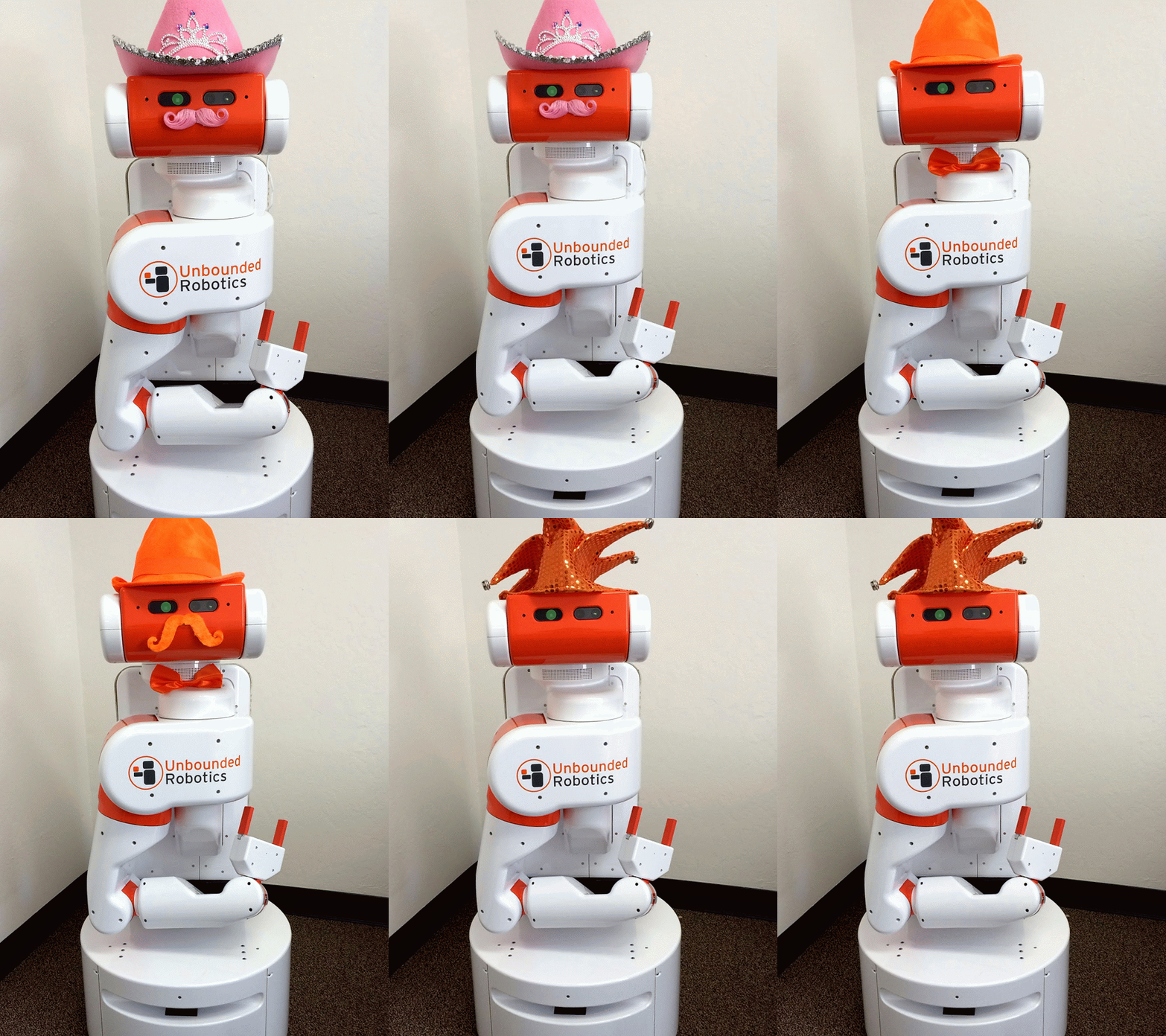 Image from Melonee Wise
Porting Gravity Compensation
Porting the gravity compensation controller was quite easy - it has very little in the
way of a ROS interface. The full commit is on GitHub.
As I mentioned in my last post, the way you declare plugins has changed a bit. In ROS1,
you would have an export directive in the package.xml that noted the location
of the .xml file describing your plugins. In ROS2, this has moved to the CMake:
pluginlib_export_plugin_description_file(robot_controllers_interface robot_controllers.xml)
The one interesting quirk I did come across was that my driver node uses the
“robot_description” parameter, and so do most controllers. You can’t declare the same
parameter twice, so I ended up with this in the controllers:
if (!node->has_parameter("robot_description"))
{
  node->declare_parameter<std::string>("robot_description", "");
}
I will also note one piece of code I use quite frequently, but haven’t really noticed
used in the tutorials or demos. When declaring a parameter, you can get the value
right then (very similar to how parameters in ROS1 were often used:
std::string root = node->declare_parameter<std::string>("root", "torso_lift_link");
Action Servers
Many controllers make extensive use of ROS actions. While Actions exist in ROS2, there
isn’t a direct replacement for the SimpleActionServer and the API has changed
quite a bit.
There are several tutorial on ROS2 actions,
but they are limited to Python. For C++, you have to look at
ros2/examples.
In ROS1 each of the action-based controllers in robot_controllers had an execute thread
for the action server and the main thread would call update() periodically. With the new
APIs things are a bit different. The examples show spinning up a new thread for the execute
callback, but I ended up refactoring things to use the existing update() function to do
more of the work and spun up a rclcpp::Timer to publish feedback outside of update().
We’ll walk through the
FollowJointTrajectoryController as an example. In the handle_goal callback I do
some minimal checking of the trajectory goal, but usually accept the goal:
if (goal_handle->trajectory.joint_names.size() != joints_.size())
{
  RCLCPP_ERROR(rclcpp::get_logger(getName()),
               "Trajectory goal size does not match controlled joints size.");
  return rclcpp_action::GoalResponse::REJECT;
}

return rclcpp_action::GoalResponse::ACCEPT_AND_EXECUTE;
The handle_accepted callback then sets us up to use the goal. Once a goal is
fully accepted at the end of the callback, I save a shared_ptr to the goal handle, which
is needed to eventually call succeed or abort. The first step
in the callback is therefore to check if there is an active_goal_, and preempt it:
bool preempted = false;
if (active_goal_)
{
  result->error_code = -6;
  result->error_string = "preempted";
  active_goal_->abort(result);
  active_goal_.reset();
  preempted = true;
}
There is not currently a “preempted” state like in ROS1 (issue),
so we just call abort. The preempted flag here gets used later on to splice the new
trajectory into the old one and use the current velocity of the joints.
Then we can grab the actual goal message, and process it just like we would in a ROS1 action callback:
const auto goal = goal_handle->get_goal();

// process goal->trajectory so
// update() can use it
sampler_ = ...

// at the end of the callback
active_goal_ = goal_handle;
Then the update() function, which is called at some fixed rate, processes the goal
and eventually marks it as succeeded or aborted:
// Is trajectory active?
if (active_goal_ && sampler_)
{
  // sample and command joints

  // If we've violated the tolerances
  active_goal_->abort(result);
  active_goal_.reset();

  // If we've completed the trajectory
  active_goal_->succeed(result);
  active_goal_.reset();
}
Asynchronous Services
In ROS1, services were based on XML-RPC. Calling a service was synchronous - if the service
provider died while processing your call then your client would hang. While there are work
arounds (such as creating a thread for your service client), APIs should be easy to use
correctly and hard to use incorrectly. For this reason, I often used actions in ROS1
where a service would have otherwise sufficed.
With ROS2, services can be called asynchronously. The ControllerManager exposes
an API to start, stop, and load controllers. For ROS2, I converted this to a service. You can
see the (commit)
which does this conversion, as well as porting all of the Python scripts that interact
with the service. This greatly simplifies the code - converting three callbacks into a
single one with a significantly cleaner function signature.
ROS2 services are well documented with tutorials for both
C++ and
Python so
I won’t go into any more detail here.
Using TF2
The TF library was one of the original hits in ROS1, making it easy to track where all your
robot bits are located and transform data between different coordinate frames. ROS2 includes
the TF2 library. The documentation on how to use it is currently quite sparse, at some point
I’m planning to add to the tutorial, but in
the meantime, here’s a quick highlight (in C++):
As with later ROS1 releases, you’ll want to depend on the tf2_ros package, and
likely you want to depend on the tf2_geometry_msgs and tf2_sensor_msgs
packages if you are converting those data types. Similarly, you still need a Buffer and a
TransformListener:
std::shared_ptr<tf2_ros::Buffer> tf_buffer;
std::shared_ptr<tf2_ros::TransformListener> tf_listener;
The big change from ROS1 is the buffer now takes a clock in the constructor, so you need
access to an rclcpp::Node instance:
tf_buffer.reset(new tf2_ros::Buffer(node.get_clock()));
tf_listener.reset(new tf2_ros::TransformListener(*tf_buffer_));
From that point, it is pretty much just like ROS1 to transform things (see a real example
in robot_controllers/src/point_head.cpp):
#include <tf2_geometry_msgs/tf2_geometry_msgs.h>

geometry_msg::msgs::PointStamped in = <blah>;
geometry_msg::msgs::PointStamped out;

try
{
  tf_buffer->transform(in, out, "target_frame");
}
catch (const tf2::TransformException& ex)
{
  RCLCPP_ERROR(node.get_logger(), "Could not transform point.");
}
The broadcaster works pretty much identically to ROS1, other than the message renaming
and the constructor taking an rclcpp::Node::SharedPtr:
std::unique_ptr<tf2_ros::TransformBroadcaster> broadcaster;

broadcaster = std::make_unique<tf2_ros::TransformBroadcaster>(nodePtr);

geometry_msgs::msg::TransformStamped transform;
transform.header.stamp = node->now();
transform.header.frame_id = "odom";
transform.child_frame_id = "base_link";
// Fill in transform.transform.translation
// Fill in transform.transform.rotation

broadcaster->sendTransform(transform);
You can find the full/real code in
robot_controllers/src/diff_drive_base.cpp.
Next Steps
I’m currently wrapping up making the head camera work. That will be the subject of
my next post in a few days.
08 Jun 2020
ubr1
robots
ros2
The latest ROS2 release, Foxy Fitzroy, was
released last Friday. In
addition to targeting an Ubuntu LTS (20.04), this release will get 3 years of support
(more than the previous 2 years, but still quite a bit less than a ROS1 LTS release
which get 5).
Since I already have the UBR-1 running 20.04, I decided to try getting it running on
ROS2. I’ve made a decent amount of progress, but there is still a long ways to go,
so this is the first of what will probably be several blog posts on porting the UBR-1 to
ROS2.
I’ve had several false starts at switching over to ROS2 over the past few years. Each time
I would start going through some tutorials, hit something that wasn’t documented or wasn’t
working and just go back to using ROS1. I’d love to say the documentation is way better
now, but…
Starting with the Messages
The challenge with such a big port is trying to just get started on the mountain of code
in front of you. Logically, you need to start on the lowest level dependencies first. For
this project, it was a series of message packages that had to be ported.
The robot_calibration package includes
an action definition that I use for the gripper on the UBR-1, so the drivers depend on it.
ROS2 message packages are pretty straight forward to port from ROS1, although there are a
few caveats to be aware of. I didn’t have to change any of my actual message definitions,
so the entire change consisted of package.xml and CMakeLists.txt changes. You can find the
commit here.
A similar commit
exists for porting the robot_controllers_msgs package.
So, what are some of those caveats to be aware of?
The first one relates to terrible error messages. I was originally missing this from the package.xml:
<export>
 <build_type>ament_cmake</build_type>
</export>
Which causes this build error:
CMake Error at /usr/share/cmake-3.16/Modules/FindPackageHandleStandardArgs.cmake:146 (message):
  Could NOT find FastRTPS (missing: FastRTPS_INCLUDE_DIR FastRTPS_LIBRARIES)
What??? It took a while to figure that one - especially since my debugging went like this:
- Unable to find solution, manually specified CMAKE_PREFIX_PATH to /opt/ros/foxy.
- Probably added the ament_cmake while continuing to develop during the day.
- Next day, build errors are gone even before I set the CMAKE_PREFIX_PATH - yay!
- Same error returns when I start working on porting another package - boo!
- Finally realize that the export ament_cmake in package.xml is the important part (the CMake itself
was all OK, it took a closer reading of this answers.ros.org post) - yay!
The second caveat to watch out for: make sure ALL your dependencies are specified for messages.
I finished porting all of these message packages and then ran into issues when I finally got
to my first node using them. The nodes exited immediately due to missing symbols. The initial
port of ubr_msgs compiled just
fine. The node depending on it also compiled just fine, but would not run.
The fix was simply to add a std_msgs dependency. A few packages you probably should depend on:
- action_msgs - if you have any actions defined at all.
- builtin_interfaces - if you use time or duration (or std_msgs/header, which has time in it).
- std_msgs - if you use std_msgs/Header.
Porting robot_controllers_interface
I had recently updated the UBR-1 to ROS Noetic and to use the
robot_controllers package that
I wrote at Fetch Robotics. So my next step was to port the robot_controllers_interface
to ROS2. For those following along, here’s a few commits:
- first pass -
mainly cmake/package.xml changes, replacing ros::Time with rclpp::Time and porting to
rclcpp::Node instances. The biggest chuck of code is porting an action server, but it
is a super simple one (that honestly could be a service). I also took a moment to
change all the boost::shared_ptr to std::shared_ptr.
- a bunch of fixes -
I made the library SHARED (which used to be default in ROS and is very much needed if
you plan to load this code as a plugin! This also moves the Controller and ControllerManager
class into the robot_controllers_interface namespace, passes the ControllerManager
by std::shared_ptr, and declares all parameters so they actually work.
The package.xml and CMakeLists.txt are largely uneventful:
- replace catkin with ament_cmake.
- replace roscpp with rclcpp.
- depend on rclcpp_action since we have an action interface to start, stop and load controllers.
- remove Boost, since we can use std::shared_ptr.
The actual API changes for were a bit more involved. Many things now require access to the
rclcpp::Node (which is similar, but not exactly like the ros::NodeHandle). Most examples simply
show developing a ROS2 component that derives from rclcpp::Node. Which is nice for simple demos,
but in a larger system with multiple controllers, leads to a lot of overhead (each node has
a bunch of services for parameters, etc).
I initially started passing lots of extra strings around until I found this undocumented
feature: sub_namespaces - which gives you functionality
similar to NodeHandles. This seemed like a great way to get rid of the string name I was passing
around. Unfortunately, it’s not only undocumented, it’s
mostly broken for parameters. So I went back to
passing names manually and concatenating them in the code.
This also leads to some interesting issues that didn’t exist in ROS1: nested parameter
names use a . for a separator, while topic names still use a /.
As I started to move into porting actual controllers, which are loaded as plugins, it became
apparent there isn’t much (any?) docs on using pluginlib in ROS2. I did find an issue that suggested
looking at the RVIZ plugins, which at least pointed out that the declaration of a plugin library
has moved from the exports in the package.xml to a CMake directive. I’ll dig into that more
in the next post when I talk about porting robot_controllers in detail.
One part of this port really stood out to me for how clean it made the code. While there are some
quirky aspects to parameters (why a .?), parsing large blocks of parameters in ROS always got
messy, consider this piece of code:
  // Find and load default controllers
  XmlRpc::XmlRpcValue controller_params;
  if (nh.getParam("default_controllers", controller_params))
  {
    if (controller_params.getType() != XmlRpc::XmlRpcValue::TypeArray)
    {
      ROS_ERROR_NAMED("ControllerManager", "Parameter 'default_controllers' should be a list.");
      return -1;
    }
    else
    {
      // Load each controller
      for (int c = 0; c < controller_params.size(); c++)
      {
        // Make sure name is valid
        XmlRpc::XmlRpcValue &controller_name = controller_params[c];
        if (controller_name.getType() != XmlRpc::XmlRpcValue::TypeString)
        {
          ROS_WARN_NAMED("ControllerManager", "Controller name is not a string?");
          continue;
        }

        // Create controller (in a loader)
        load(static_cast<std::string>(controller_name));
      }
    }
With the new ROS2 API, it becomes this:
   // Find default controllers
   std::vector<std::string> controller_names =
     node_->declare_parameter<std::vector<std::string>>("default_controllers", std::vector<std::string>());
   if (controller_names.empty())
   {
     RCLCPP_WARN(node_->get_logger(), "No controllers loaded.");
     return -1;
   }

   // Load each controller
   for (auto controller_name : controller_names)
   {
     RCLCPP_INFO(node->get_logger(), "Loading %s", controller_name.c_str());
     load(controller_name);
   }
Launch Files
This was perhaps the most frustrating part of this exercise thus far. Documentation is lacking,
and examples vary so widely it is like the Wild West out there. There just aren’t many real
robots running ROS2 yet.
I finally managed to hack together a launch file which starts:
- The driver node, and properly passed it the URDF as a (string) parameter.
- An instance of robot_state_publisher, and passed it the URDF as well. Note:
robot_state_publisher also publishes the robot_description parameter it receives to
a topic, which rviz2 can then use.
- An instance of urg_node_driver. (currently patched - see
GitHub issue).
You can find the launch file
on GitHub
Progress in RVIZ
At this point I was publishing the joint positions, IMU, and laser data. It was time to fire
up rviz2:
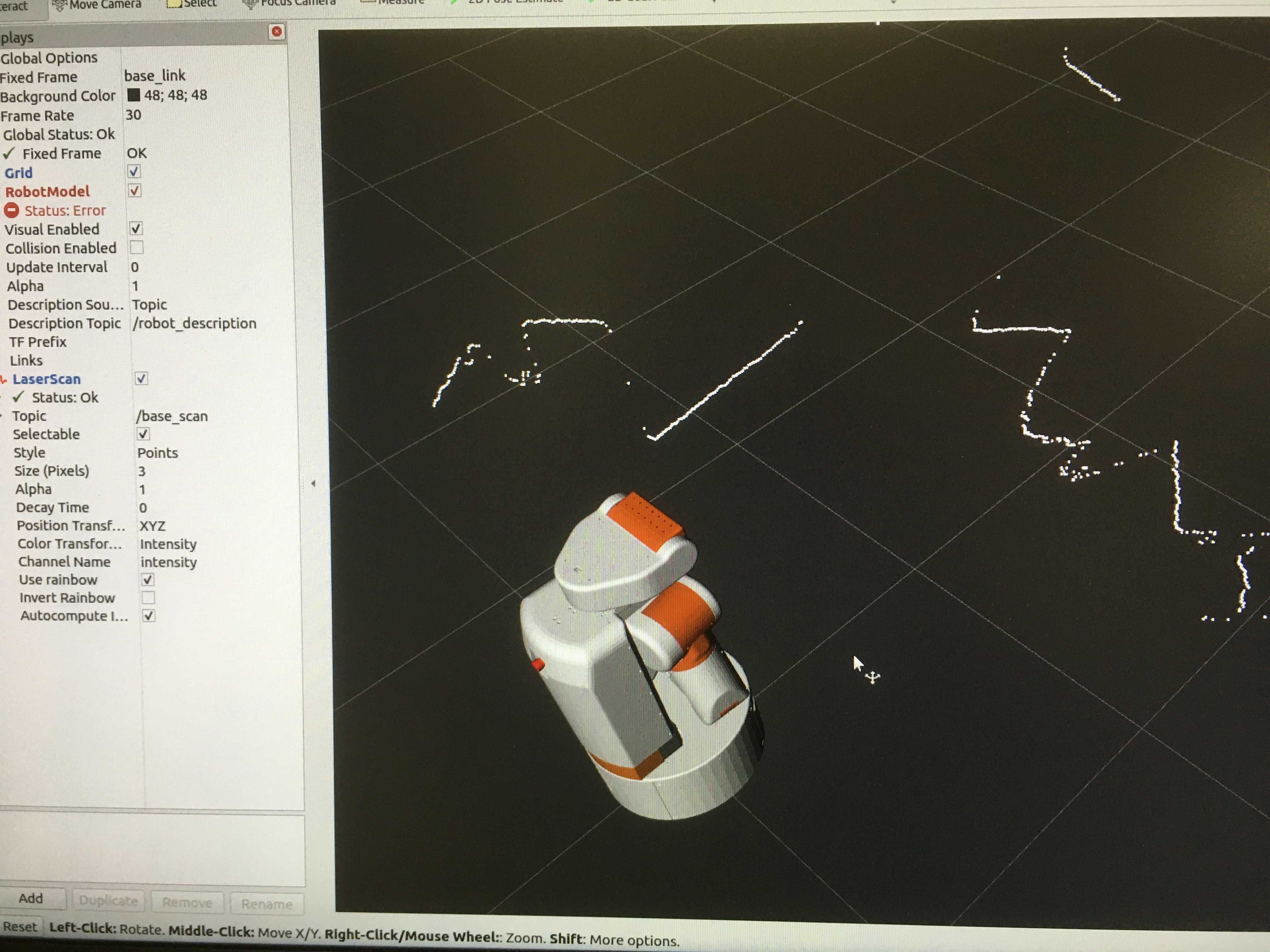
Next Steps
I’m continuing to port robot_controllers - I’m sure I’ll have more posts about that.