The latest ROS2 release, Foxy Fitzroy, was
released last Friday. In
addition to targeting an Ubuntu LTS (20.04), this release will get 3 years of support
(more than the previous 2 years, but still quite a bit less than a ROS1 LTS release
which get 5).
Since I already have the UBR-1 running 20.04, I decided to try getting it running on
ROS2. I’ve made a decent amount of progress, but there is still a long ways to go,
so this is the first of what will probably be several blog posts on porting the UBR-1 to
ROS2.
I’ve had several false starts at switching over to ROS2 over the past few years. Each time
I would start going through some tutorials, hit something that wasn’t documented or wasn’t
working and just go back to using ROS1. I’d love to say the documentation is way better
now, but…
Starting with the Messages
The challenge with such a big port is trying to just get started on the mountain of code
in front of you. Logically, you need to start on the lowest level dependencies first. For
this project, it was a series of message packages that had to be ported.
The robot_calibration package includes
an action definition that I use for the gripper on the UBR-1, so the drivers depend on it.
ROS2 message packages are pretty straight forward to port from ROS1, although there are a
few caveats to be aware of. I didn’t have to change any of my actual message definitions,
so the entire change consisted of package.xml and CMakeLists.txt changes. You can find the
commit here.
A similar commit
exists for porting the robot_controllers_msgs package.
So, what are some of those caveats to be aware of?
The first one relates to terrible error messages. I was originally missing this from the package.xml:
CMake Error at /usr/share/cmake-3.16/Modules/FindPackageHandleStandardArgs.cmake:146 (message):
  Could NOT find FastRTPS (missing: FastRTPS_INCLUDE_DIR FastRTPS_LIBRARIES)
What??? It took a while to figure that one - especially since my debugging went like this:
Unable to find solution, manually specified CMAKE_PREFIX_PATH to /opt/ros/foxy.
Probably added the ament_cmake while continuing to develop during the day.
Next day, build errors are gone even before I set the CMAKE_PREFIX_PATH - yay!
Same error returns when I start working on porting another package - boo!
Finally realize that the export ament_cmake in package.xml is the important part (the CMake itself
was all OK, it took a closer reading of this answers.ros.org post) - yay!
The second caveat to watch out for: make sure ALL your dependencies are specified for messages.
I finished porting all of these message packages and then ran into issues when I finally got
to my first node using them. The nodes exited immediately due to missing symbols. The initial
port of ubr_msgs compiled just
fine. The node depending on it also compiled just fine, but would not run.
action_msgs - if you have any actions defined at all.
builtin_interfaces - if you use time or duration (or std_msgs/header, which has time in it).
std_msgs - if you use std_msgs/Header.
Porting robot_controllers_interface
I had recently updated the UBR-1 to ROS Noetic and to use the
robot_controllers package that
I wrote at Fetch Robotics. So my next step was to port the robot_controllers_interface
to ROS2. For those following along, here’s a few commits:
first pass -
mainly cmake/package.xml changes, replacing ros::Time with rclpp::Time and porting to
rclcpp::Node instances. The biggest chuck of code is porting an action server, but it
is a super simple one (that honestly could be a service). I also took a moment to
change all the boost::shared_ptr to std::shared_ptr.
a bunch of fixes -
I made the library SHARED (which used to be default in ROS and is very much needed if
you plan to load this code as a plugin! This also moves the Controller and ControllerManager
class into the robot_controllers_interface namespace, passes the ControllerManager
by std::shared_ptr, and declares all parameters so they actually work.
The package.xml and CMakeLists.txt are largely uneventful:
replace catkin with ament_cmake.
replace roscpp with rclcpp.
depend on rclcpp_action since we have an action interface to start, stop and load controllers.
remove Boost, since we can use std::shared_ptr.
The actual API changes for were a bit more involved. Many things now require access to the
rclcpp::Node (which is similar, but not exactly like the ros::NodeHandle). Most examples simply
show developing a ROS2 component that derives from rclcpp::Node. Which is nice for simple demos,
but in a larger system with multiple controllers, leads to a lot of overhead (each node has
a bunch of services for parameters, etc).
I initially started passing lots of extra strings around until I found this undocumented
feature: sub_namespaces - which gives you functionality
similar to NodeHandles. This seemed like a great way to get rid of the string name I was passing
around. Unfortunately, it’s not only undocumented, it’s
mostly broken for parameters. So I went back to
passing names manually and concatenating them in the code.
This also leads to some interesting issues that didn’t exist in ROS1: nested parameter
names use a . for a separator, while topic names still use a /.
As I started to move into porting actual controllers, which are loaded as plugins, it became
apparent there isn’t much (any?) docs on using pluginlib in ROS2. I did find an issue that suggested
looking at the RVIZ plugins, which at least pointed out that the declaration of a plugin library
has moved from the exports in the package.xml to a CMake directive. I’ll dig into that more
in the next post when I talk about porting robot_controllers in detail.
One part of this port really stood out to me for how clean it made the code. While there are some
quirky aspects to parameters (why a .?), parsing large blocks of parameters in ROS always got
messy, consider this piece of code:
// Find and load default controllersXmlRpc::XmlRpcValuecontroller_params;if(nh.getParam("default_controllers",controller_params)){if(controller_params.getType()!=XmlRpc::XmlRpcValue::TypeArray){ROS_ERROR_NAMED("ControllerManager","Parameter 'default_controllers' should be a list.");return-1;}else{// Load each controllerfor(intc=0;c<controller_params.size();c++){// Make sure name is validXmlRpc::XmlRpcValue&controller_name=controller_params[c];if(controller_name.getType()!=XmlRpc::XmlRpcValue::TypeString){ROS_WARN_NAMED("ControllerManager","Controller name is not a string?");continue;}// Create controller (in a loader)load(static_cast<std::string>(controller_name));}}
With the new ROS2 API, it becomes this:
// Find default controllersstd::vector<std::string>controller_names=node_->declare_parameter<std::vector<std::string>>("default_controllers",std::vector<std::string>());if(controller_names.empty()){RCLCPP_WARN(node_->get_logger(),"No controllers loaded.");return-1;}// Load each controllerfor(autocontroller_name:controller_names){RCLCPP_INFO(node->get_logger(),"Loading %s",controller_name.c_str());load(controller_name);}
Launch Files
This was perhaps the most frustrating part of this exercise thus far. Documentation is lacking,
and examples vary so widely it is like the Wild West out there. There just aren’t many real
robots running ROS2 yet.
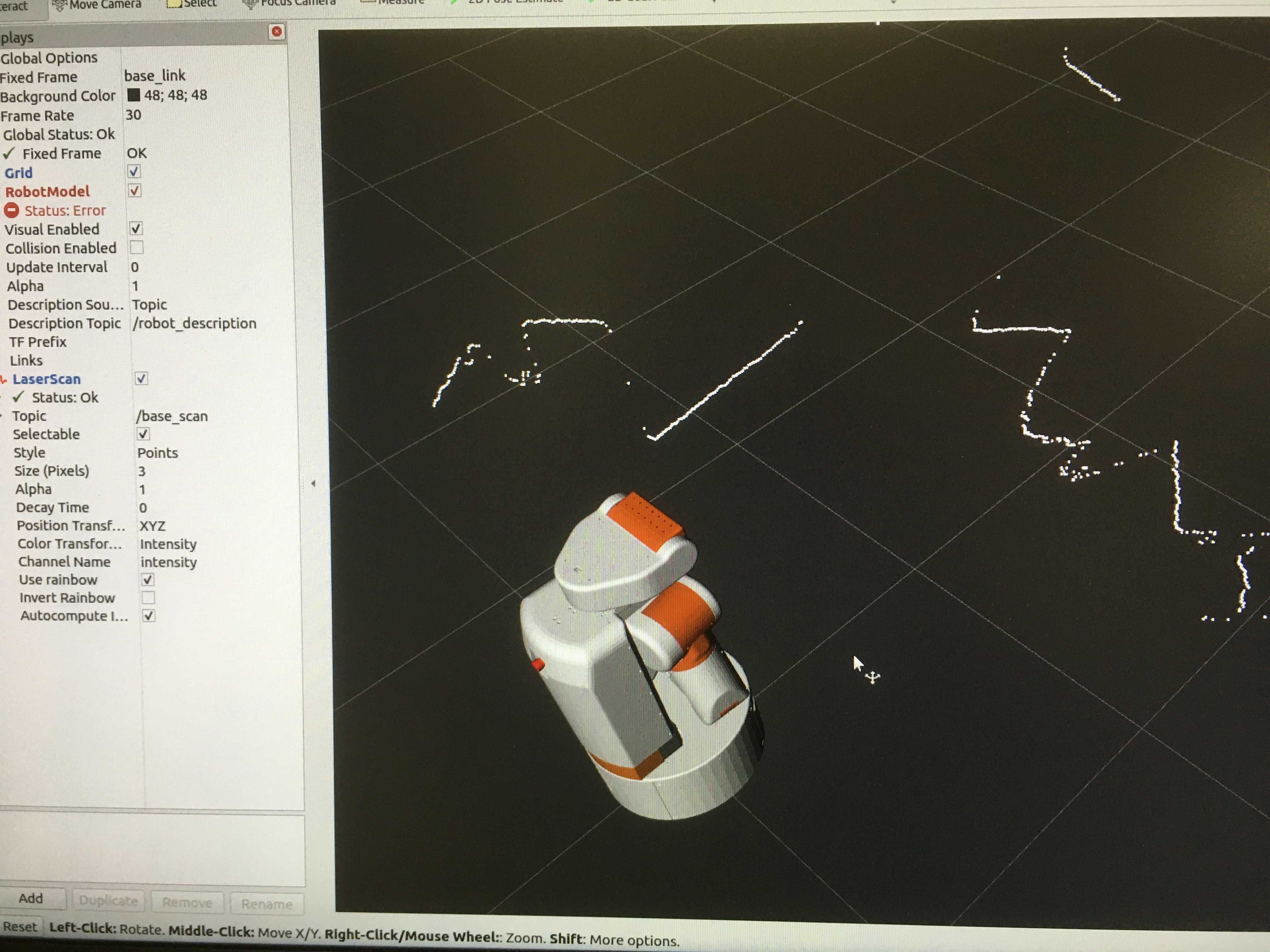
I finally managed to hack together a launch file which starts:
The driver node, and properly passed it the URDF as a (string) parameter.
An instance of robot_state_publisher, and passed it the URDF as well. Note:
robot_state_publisher also publishes the robot_description parameter it receives to
a topic, which rviz2 can then use.
An instance of urg_node_driver. (currently patched - see
GitHub issue).
Some people collect classic cars. I tend to collect classic robots. For a long time I’ve
preserved many of my robots - or at least the head of the robot if I needed to reuse the
majority of the components. I also bought a PR2 head during my time
at Willow Garage. Recently I added the best item to this collection.
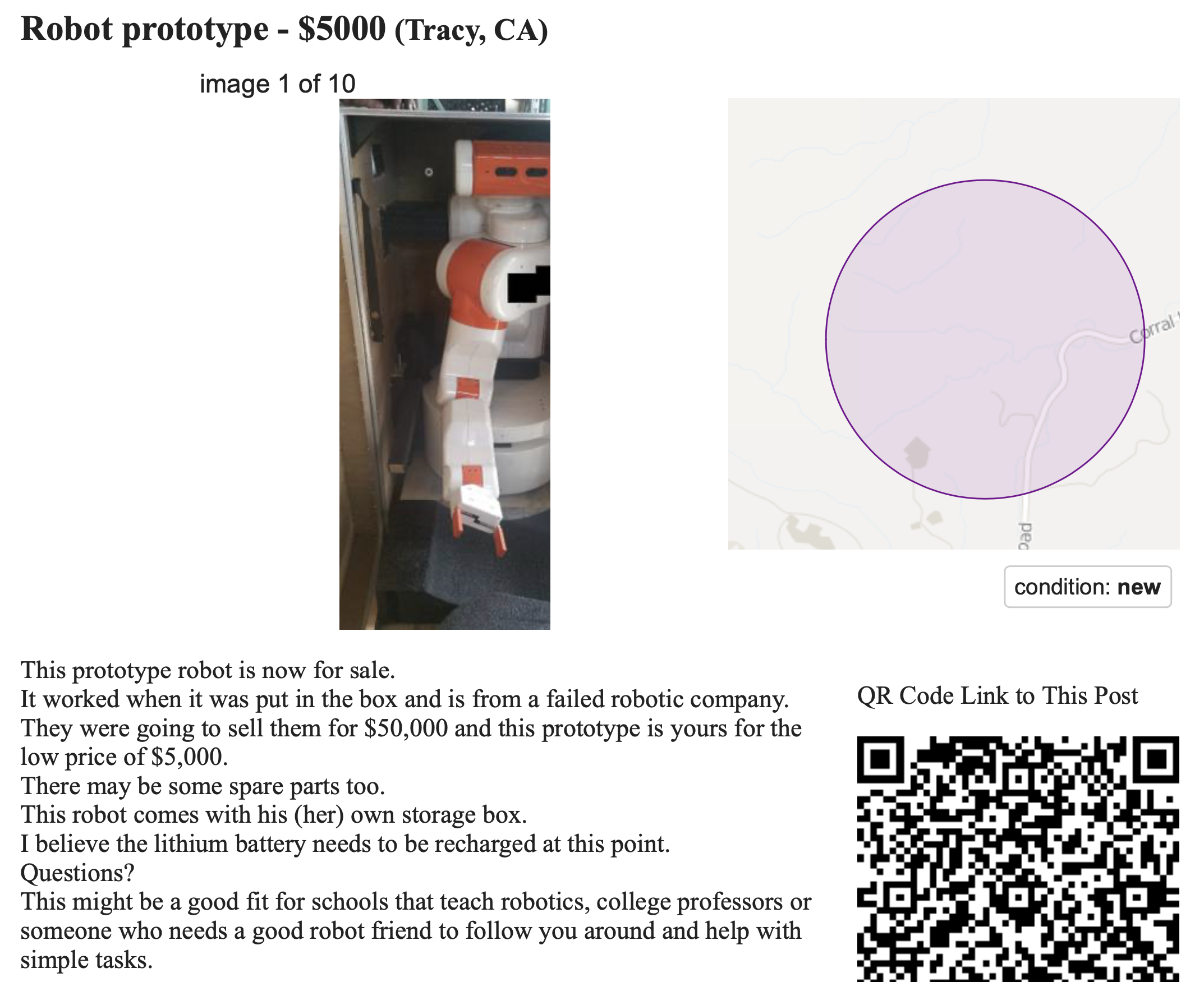
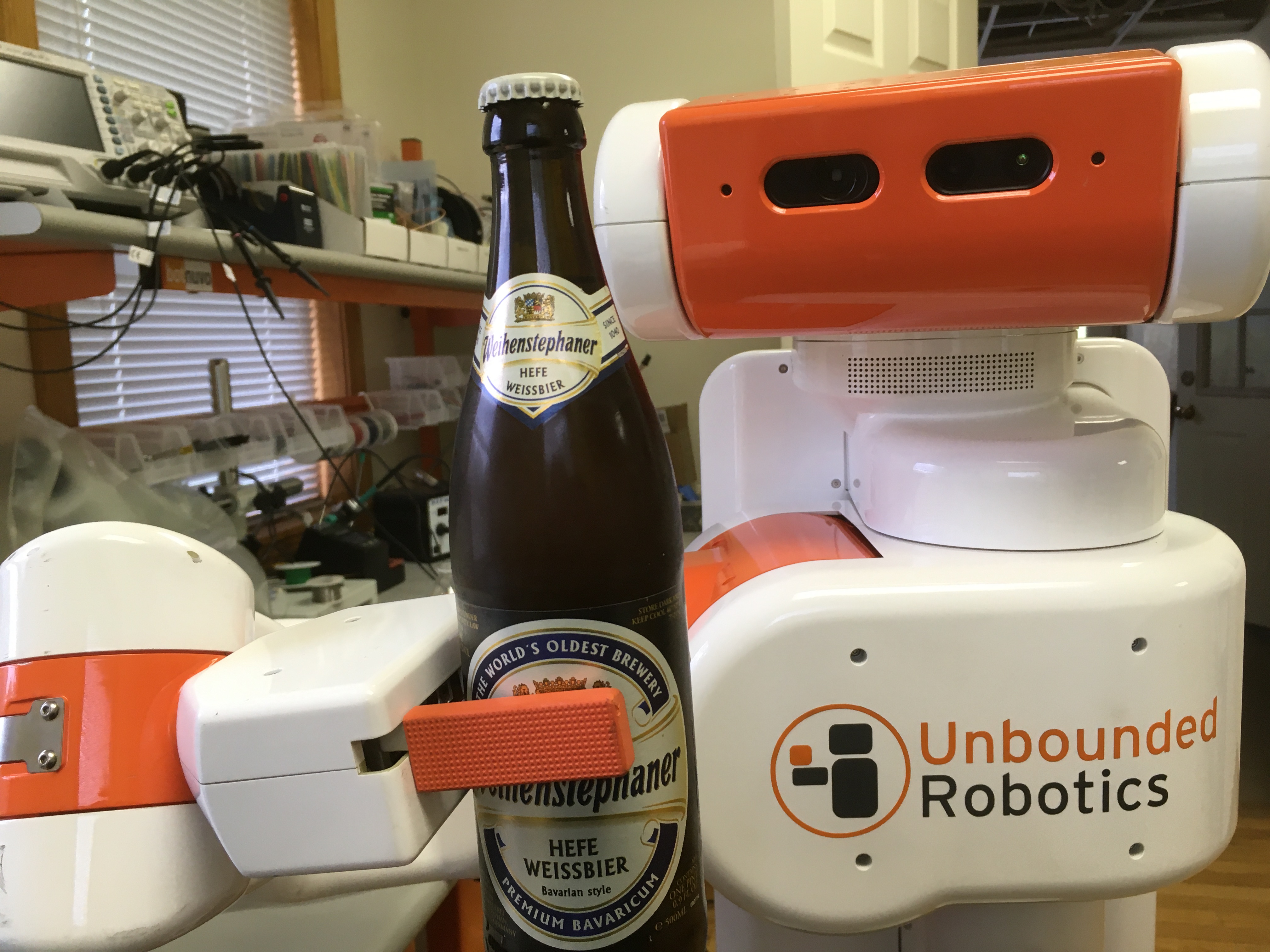
A couple of weeks ago, someone from the Homebrew Robotics Club
posted a link to a Craigslist ad for a UBR-1 robot in Tracy, CA. I immediately reached out to
the seller to find out more. A few days later the robot was on it’s way to NH in it’s bright
orange case.
Upon arrival in NH, I quickly unpacked the robot. The skins were quite dirty, and a number of
fasteners were missing so I quickly stripped all the skins off the robot to check on the insides.
Removing the batteries, I found they were at only 0.5V each. I had figured they would be garbage
since they were eight years old and they had been left plugged in (I’m not sure, but I suspect
there is always a small draw on the batteries when plugged into the main board). New batteries
were ordered and the cabling was moved over. I manually charged the batteries to balance them
and then installed them into the robot.
I unplugged all the computer and motor power cables coming off the mainboard before starting
the robot up. Once satisfied that the power rails were coming up nicely I plugged the computer
back in. And it booted. And gravity compensation on the arm starting working as soon as I
released the runstop.
The joystick batteries are completely dead and unable to recharge, so I switched to keyboard
teleop to test the base and head. I tested the arm with an older controller test script that
was part of the UBR-1 preview repo.
The scanning laser was also missing on this robot (I vaguely recall we had a loaner laser that
had to go back when Unbounded shut down). Luckily I have some spare lasers here.
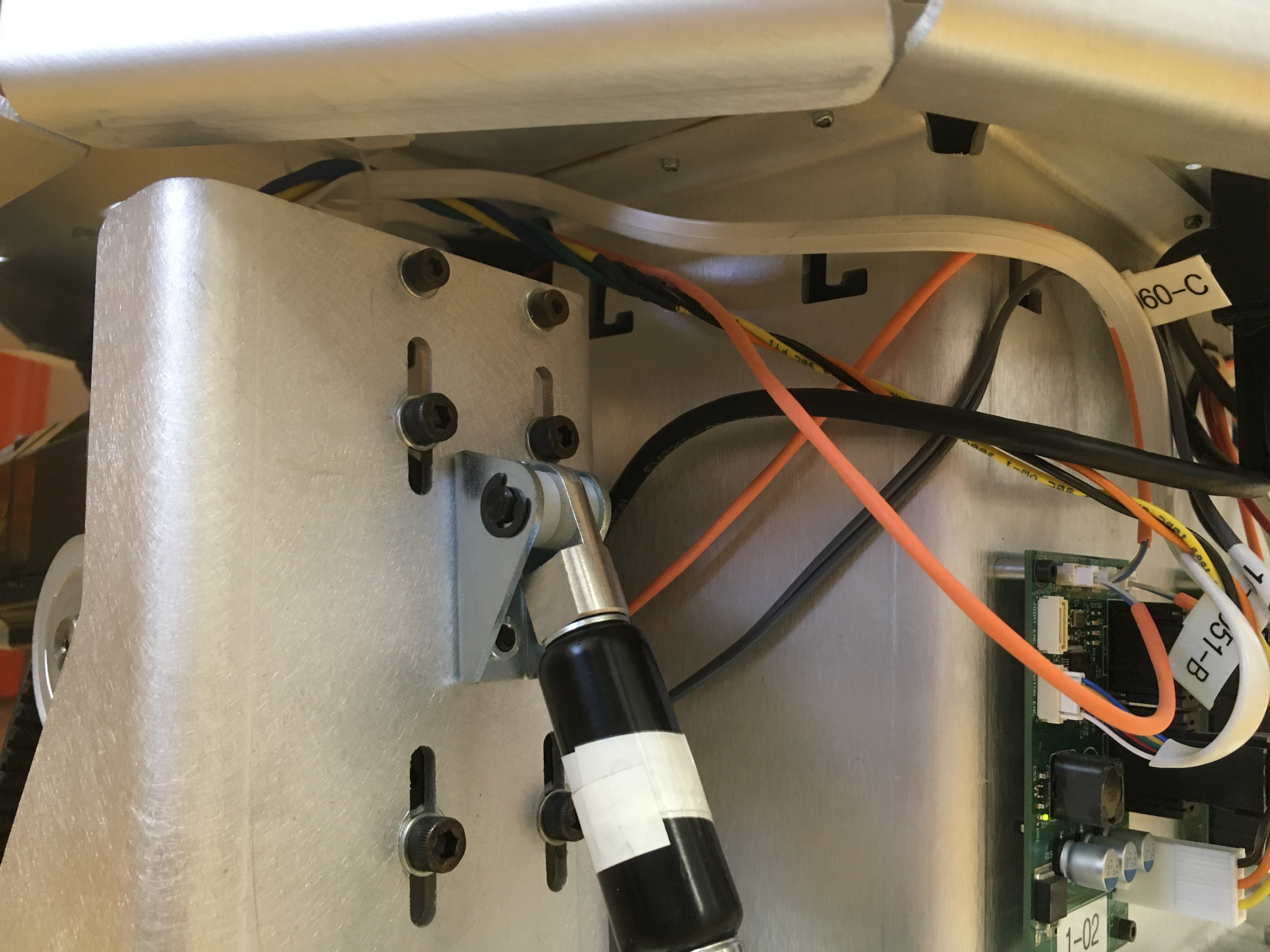
A few other things needed to be cleaned up before the skins were put back on. In removing the
scanning laser, lots of tie straps were missing on the cabling near the right side drive
motor (see image below). Thermistors on the base motors had also come undone, but were
quickly fixed with some new kapton tape.
I then backed up the contents of the hard drive and swapped it out for a new drive so I could
updated from 14.04/Indigo. I set up the new drive to dual both both 18.04 and 20.04 since I
wasn’t sure how well Noetic was going to run. Surprisingly it wasn’t too bad. I got the
drivers all updated and ready to go before World MoveIt Day.
During World MoveIt Day I got MoveIt working on the robot and then moved onto testing
robot_calibration, both packages needed a few updates for changes in underlying dependencies
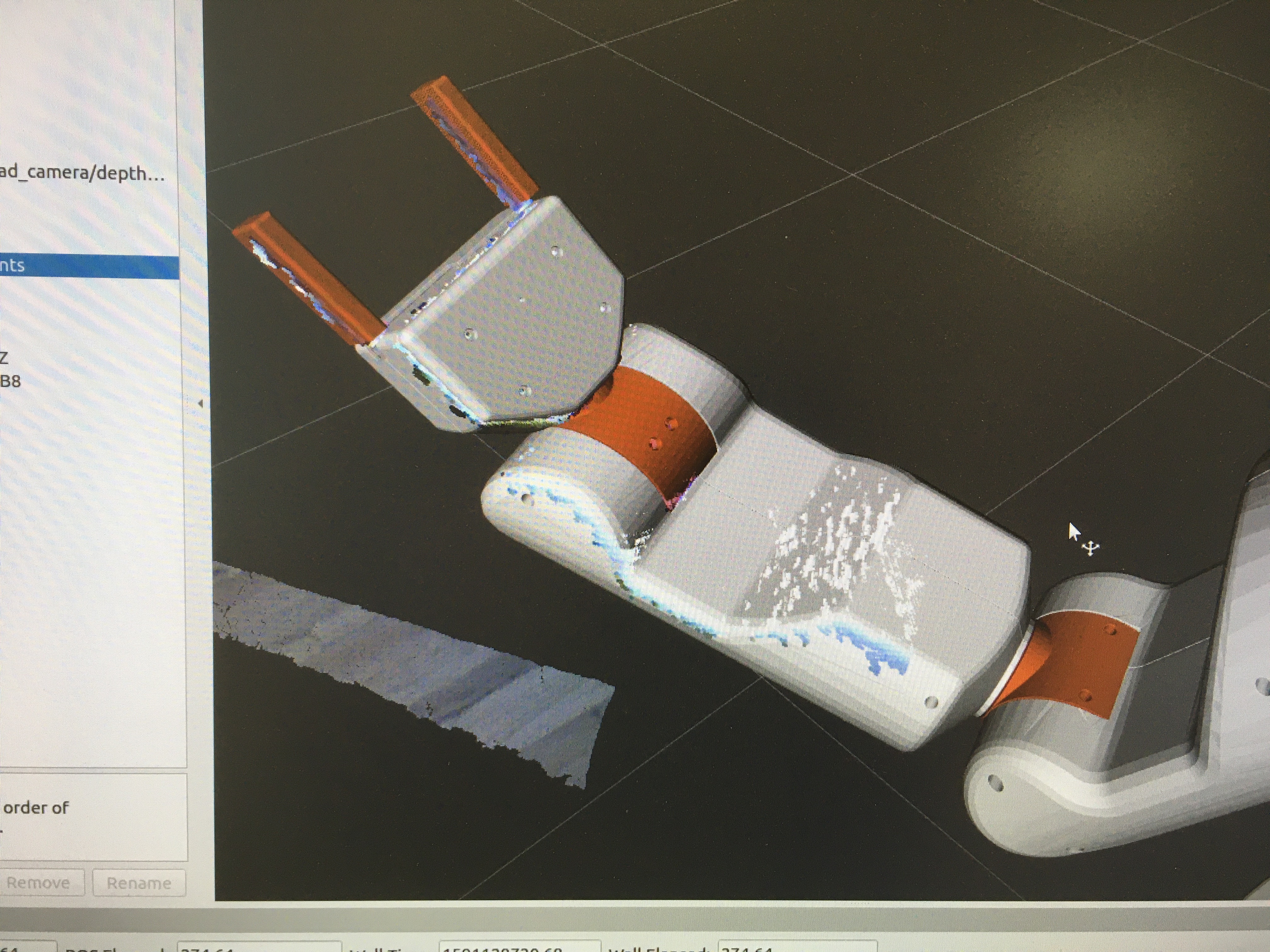
and the move to Python 3. By mid-day I managed to calibrate the robot:
I’m using Ansible to deploy most of the robot setup.
I’ve still got some work to get grasping demos updated and running on the robot, then
I’m hoping to revive the chess playing demo
although that code hasn’t been run since Hydro.
I’ve been making steady progress on the robomagellan robot. In my previous post, I detailed
how I calibrated the magnetometer on the robot in preparation for using the robot_localization
package to fuse the wheel odometry, IMU, and GPS data. This post discusses the actual use of
robot_localization.
Coordinate Frames
Before diving into how the robomagellan robot is localizing, we should explore what the
coordinate frames look like. REP 105 specifies
the standard conventions for mobile robot coordinate frames in ROS.
For an indoor robot, the coordinate frames are pretty straight-forward. The “center” of the robot
is base_link. Your odometry source (typically wheel encoders, often merged with an IMU) is used
to generate an odom frame. Then you have a map of the building and a program such as
AMCL can use laser scan data to align the robot with the map,
publishing a correction in the form of a transformation from odom to map frame. The map frame
is arbitrary, but fixed in reference to the map of the building and set at the time the map was
built. Goal poses are typically specified in the map frame, since it is consistent over time
and over reboots of the robot.
For an outdoor robot, it ends up being more complex. The base_link and odom frames are the
same as they were indoors. The map frame origin is less well defined. REP-105 states:
Map coordinate frames can either be referenced globally
or to an application specific position.
With robot_localization, the map frame origin is wherever the robot odometry started. That
is a bit different for those of us who mainly use indoor robots where the map frame is
consistent from reboot to reboot.
A pair of ROS services are offered which can convert between GPS coordinates and map coordinates.
Internally, these services track the location of the map frame in UTM coordinates. The
Universal Transverse Mercator (UTM)
system splits the world up into a series of coordinate grids. These grids are very large and
so you don’t often want to do your calculations in UTM coordinates, hence the local map frame
which is located where ever the robot started up. There is an option to publish the utm frame,
but it appears rarely used.
Global Localization
“Global” localization is pretty easy with indoor mobile robots based on ROS since it really
just consists of finding the robot pose in the map frame. You simply merge an
odometry source with your laser scan and a map using AMCL. There are quite a few parameters,
but the defaults work pretty well out of the box. Things get a bit more complicated when you go
outdoors.
People often improve their odometry source by merging the wheel encoder odometry with an IMU.
The robot_localization package
offers an Extended Kalman Filter (EKF) that can do this for both indoor and outdoor robots.
While the EKF does not take GPS data directly, the robot_localization package also offers
the navsat_transform_node that can convert GPS data into an odometry stream.
The node subscribes to your gps/fix topic and then outputs an odometry source that encodes
the robot pose in the map frame. Internally, it tracks the transformation between the UTM
coordinates and the map frame.
Navsat Transform Node
The navsat_transform_node also subscribes to two other topics, your IMU and the
odometry output from the EKF. The node only needs this data until it gets a first GPS fix.
The IMU part is easy to understand - GPS does not contain heading information and so the
node needs to get that from the IMU in order to determine the transformation between UTM and
map.
The circular subscription (that the transform node is subscribing to the odometry output by
the EKF, and the EKF is subscribing to the odometry output by the transform node) is probably
the least understood aspect in robot_localization – probably half of all the related
questions on answers.ros.org are about this. The reasoning is as such:
since the map frame is located where the robot started, we need to know how far we have
traveled from the start when we finally get a first GPS fix. If you don’t move the robot at
all before you get a valid fix, you really wouldn’t need this odometry source in
navsat_transform_node.
In setting up the launch files for the EKF, I specifically annotated the somewhat confusing
subscription and publication topics. My
launch file
for the EKF pipeline basically looks like this:
<!-- Global frame localization --><nodename="ekf_global_odom"pkg="robot_localization"type="ekf_localization_node"><rosparamcommand="load"file="$(find robomagellan)/config/ekf_global.yaml"/><!-- Subscriptions (in yaml)
odom0: odometry/gps
odom1: base_controller/odom
imu0: imu/data
--><!-- Publications --><remapfrom="odometry/filtered"to="odometry/global"/></node><!-- Integrating GPS --><nodename="navsat_transform_node"pkg="robot_localization"type="navsat_transform_node"output="screen"><!-- Parameters truncated - see full file on GitHub --><!-- Subscriptions --><remapfrom="imu/data"to="imu/data"/><remapfrom="gps/fix"to="gps/fix"/><remapfrom="odometry/filtered"to="odometry/global"/><!-- Publications --><remapfrom="gps/filtered"to="gps/filtered"/><remapfrom="odometry/gps"to="odometry/gps"/></node>
Setting Up Robot Localization
Parts of the EKF setup are pretty straight forward. The odometry/gps source that comes from
the navsat_transform_node gives us an absolute estimate of x and y coordinates
derived from the GPS data. The base_controller/odom source gives us differential estimates of
x, y and yaw derived from the wheel encoders.
How to fuse the IMU data is less intuitive. Since the IMU is processed by the
imu_filter_madgwick node, we know it can give an absolute estimate of roll, pitch,
yaw. The absolute orientation is quite important, since no other sensor in our system can
give us this important information. The filter also removes bias from the gyro and accelerometers,
so we can use the IMU data for differential estimates of roll, pitch, and yaw as well as
accelerations of x, y, and z. I chose not to use the accelerations though, since it seems
to give better results.
There are numerous notes and warnings that if you are merging two sources of rotation/orientation
data you have to make sure the covariances are well set. While I’m not 100% confident in the
covariance of the wheel encoder odometry source, it seems to be merging fine with the IMU.
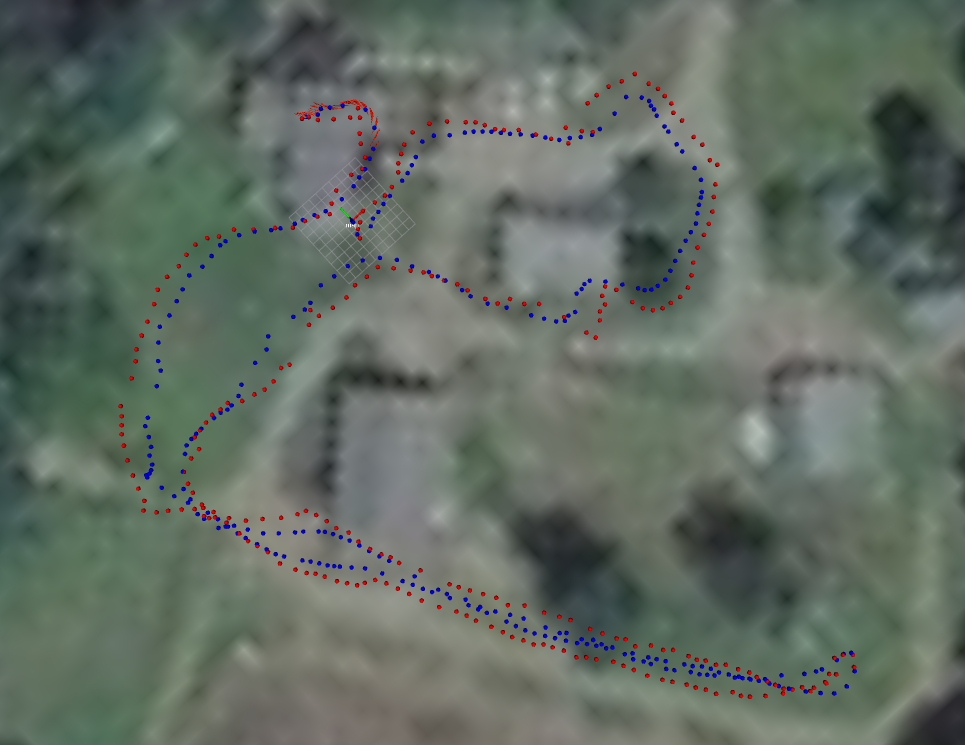
The above image shows localization during a test run. The red dots are the raw GPS data. The blue
dots are the output of the EKF. I’m downsampling here to 1 meter spacing between dots.
It’s worth noting that the robot actually stayed on the gravel-colored paths, so the raw GPS is
pretty far off (especially the track on the left that swings way out into the grass). The
datasheet for the MTK3339-based GPS states that the positional accuracy is 2.5 meters (50% CEP),
which is quite a bit worse than the Garmin 18x referenced in the robot_localization paper.
At this point, I have decent global localization for how bad the GPS signal is.
The next step is going to be replacing the GPS module with one that supports Real Time Kinematics
(RTK). The cost of these modules have come down a great deal and so it makes total sense to upgrade
to this. There really aren’t any publicly accessible RTK base stations here in New Hampshire, so
I’ll also be setting up a base station.
Even while I wait for the new GPS modules to show up, I plan to make some progress on navigation
since the localization is still pretty decent within the map frame, and I can temporarily shift
the goal poses for testing.